Account
Tell Lungoor about yourself so your summaries fit you.
Overview
Account is where you add details about yourself, write your persona, sign out or delete your account. To open it, go to Settings and click Account under App.
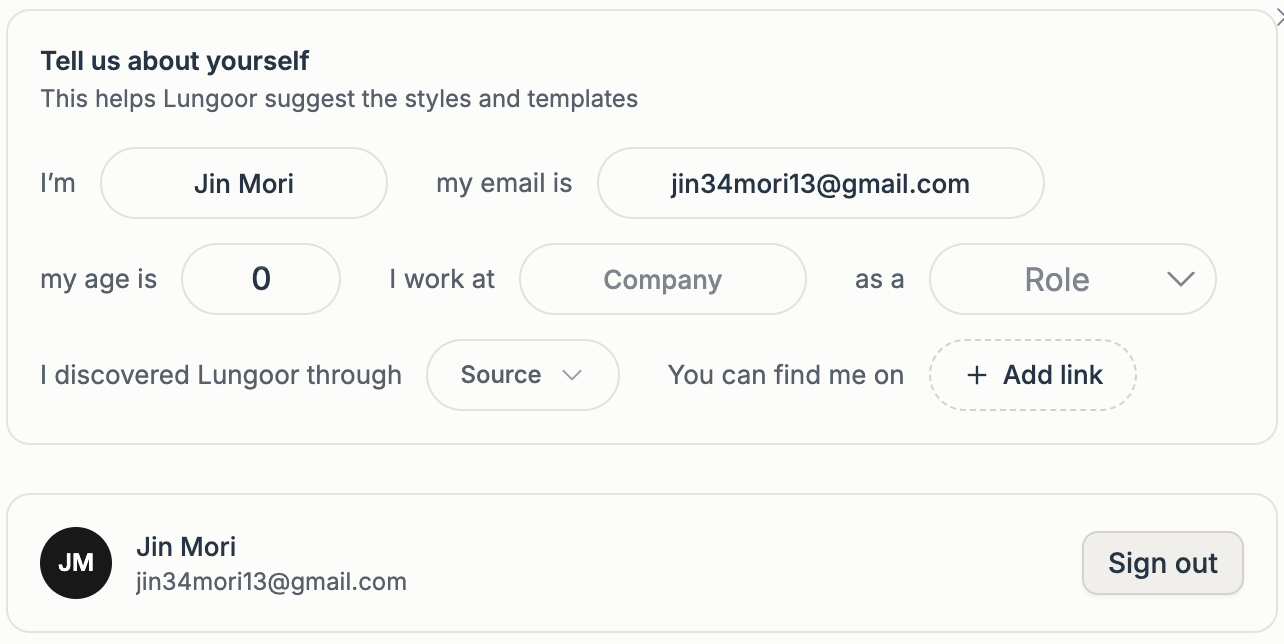
Tell Us About Yourself
This helps Lungoor suggest the styles and templates that suit you. Fill in:
- I'm - your name
- My email is - your email address
- My age is - your age
- I work at - your company
- As a - your role
- I discovered Lungoor through - where you heard about Lungoor
- You can find me on - click Add link to add your profile links
Your Account
Below that, you'll see the name and email you're signed in with. To sign out, click Sign out.
Your Persona
Your persona is a short bio Lungoor reads before writing your summaries. It can be up to 100 words, and the counter in the top right shows how many you've used.
It starts with two sections you can fill in:
- About me - your name and email
- How I communicate - your tone, quirks, do's and don'ts
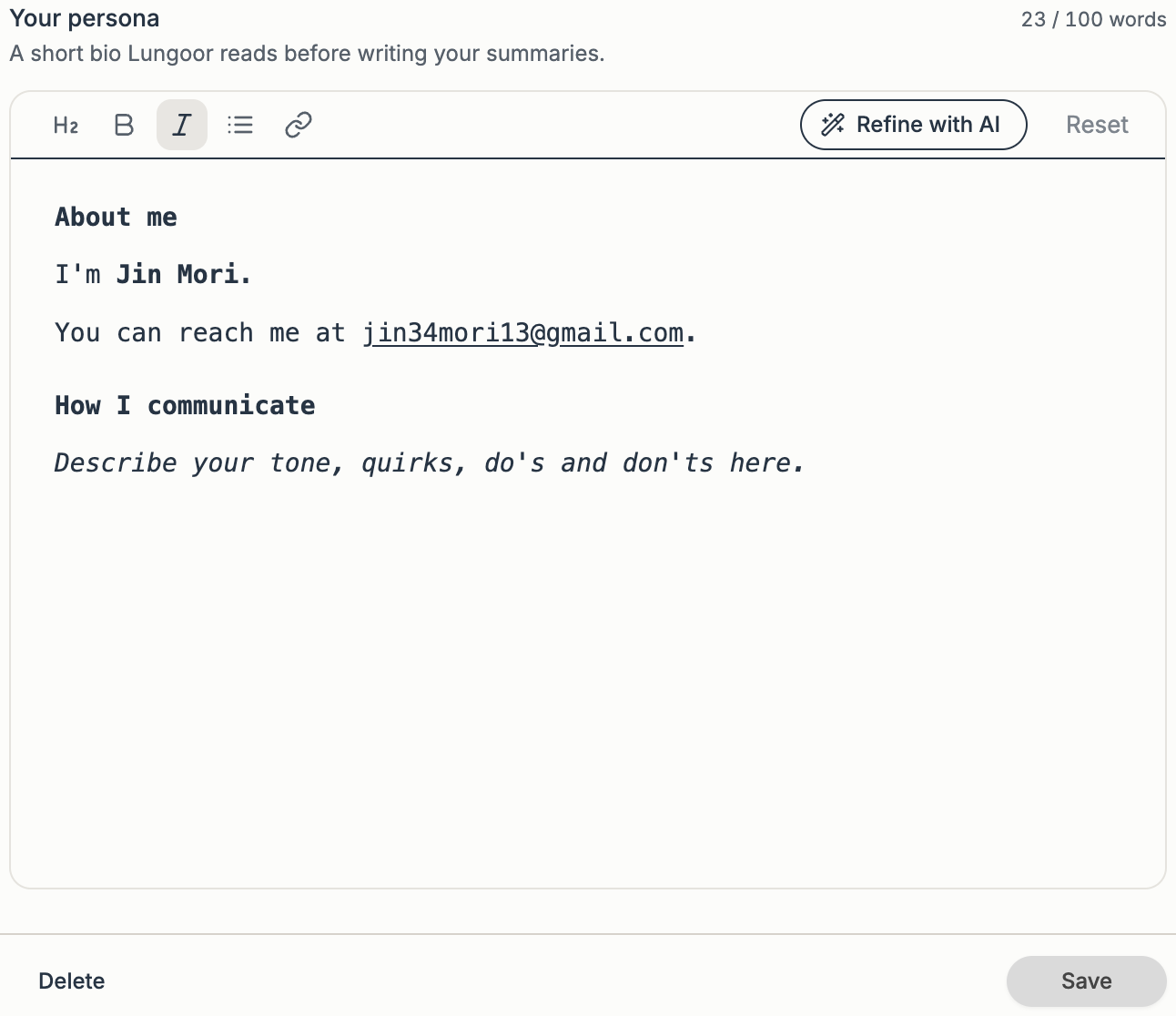
Use the toolbar to add headings, bold, italics, lists and links. You can also:
- Refine with AI - let AI improve what you've written
- Reset - go back to the starting text
Click Save at the bottom when you're done.
Delete Your Account
To delete your whole Lungoor account, click Delete at the bottom left of the Account screen.
Delete removes your whole account, not just your persona. Only click it if you're sure.
Tips
- Fill in your company and role so Lungoor can suggest the right templates
- Use How I communicate to tell Lungoor how you like your summaries written
- Keep your persona short and clear - you have 100 words