Usage
Track your transcription activity and talk time.
Overview
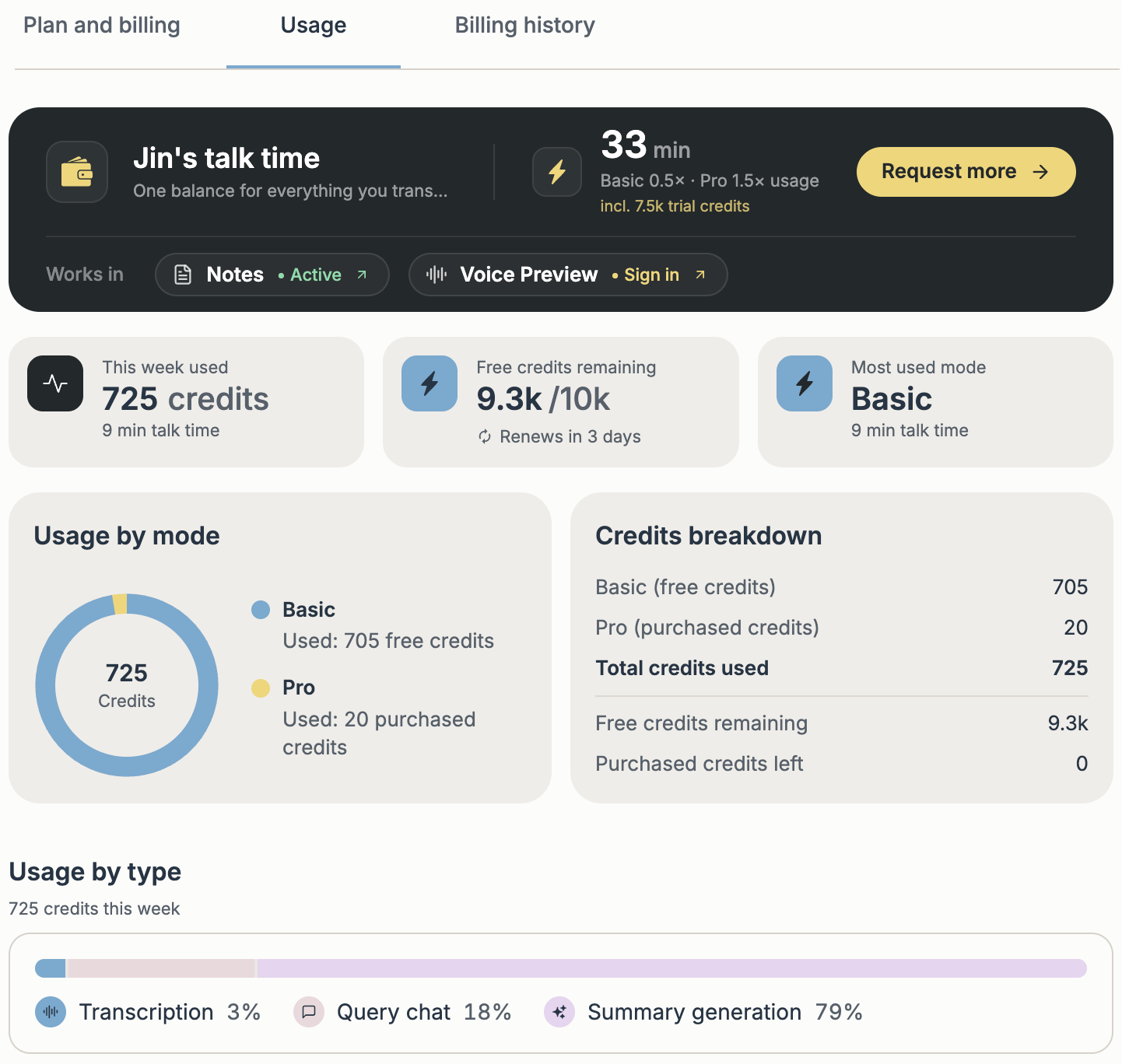
The Usage tab gives you a breakdown of how you've been using Lungoor Notes - which mode you use most, how much talk time you've used, and what you've used it for.
Your Talk Time
Your talk time card shows your current balance. One balance for everything you transcribe.
You can see which apps it works in:
- Notes - Active
- Voice - Sign in
Your total talk time is shown at the top in minutes, with your usage rates underneath - Basic 0.5x and Pro 1.5x usage. A Request more button lets you get more talk time.
Current Usage Stats
Below the talk time card, three stat cards show your usage at a glance:
This week used
How much talk time you've used this week - for example, 9 min talk time.
Free talk time remaining
How much of your free weekly talk time you have left, and when it renews - for example, Renews in 3 days.
Most used mode
Which mode you've used the most - Basic or Pro - plus the talk time you've used in that mode.
Usage by Mode
A donut chart shows how your usage is split between Basic and Pro mode. Your total is shown in the middle.
- Basic - free talk time used (shown in blue)
- Pro - purchased talk time used (shown in yellow)
Talk Time Breakdown
This card shows exactly where your talk time went:
- Basic (free talk time) - how much free talk time you've used
- Pro (purchased talk time) - how much purchased talk time you've used
- Total used - Basic and Pro added together
- Free talk time remaining - free talk time you still have
- Purchased talk time left - purchased talk time you still have
Usage by Type
Shows how your talk time this week breaks down by activity, as a percentage:
- Transcription - turning your meetings into text
- Query chat - asking questions in meeting chat
- Summary generation - creating your meeting summaries
Tips
- Use Basic mode for quick notes for free
- Switch to Pro mode when you need the best accuracy
- Your talk time works in both Lungoor Notes and Lungoor Voice