Pro Mode
Premium accuracy for your most important meetings.
Overview
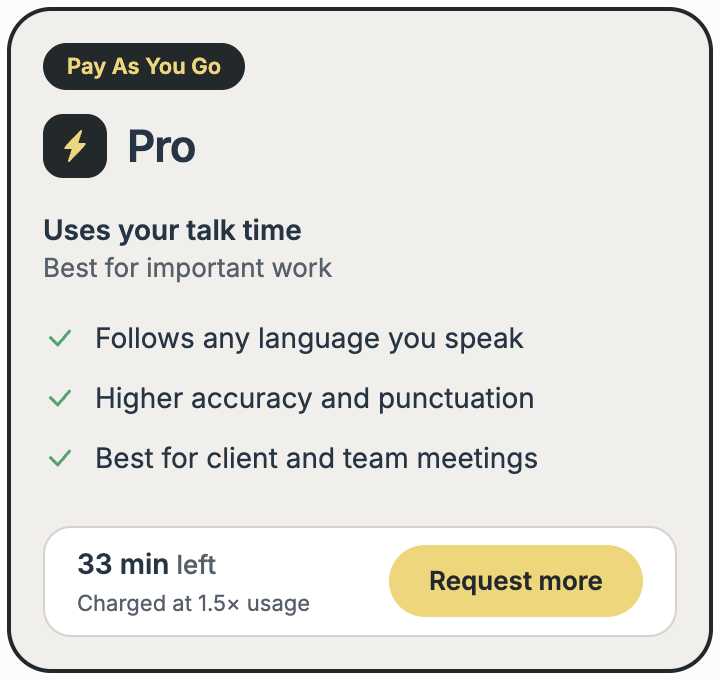
Pro Mode is Lungoor Notes' premium transcription mode. It follows any language you speak and gives you higher accuracy and punctuation - best for client and team meetings where every word matters.
What You Get
Pro Mode is pay as you go and gives you:
- Any language - follows any language you speak
- Higher accuracy & punctuation - cleaner transcripts with proper sentence structure
- Built for important meetings - best for client and team meetings
How Talk Time Works in Pro Mode
Pro Mode uses your talk time at 1.5x usage.
- 1 minute of meeting = half a minute of talk time in Basic Mode
- 1 minute of meeting = 1.5 minutes of talk time in Pro Mode
- You only use talk time for what you transcribe
So if your meeting runs for 10 minutes in Pro Mode, it'll use 15 minutes of your talk time.
The Pro card on the Plan and billing page shows how much talk time you have left - for example, "33 min left, charged at 1.5x usage". When you need more, click Request more.
When to Use Pro Mode
Pro Mode is the right choice when you want to:
- Record client calls
- Record multilingual meetings, or a meeting held in a language other than English
- Record anything you'll share or act on afterwards
- Get the most accurate transcript possible
Trial Talk Time
When you're on a trial, your trial talk time works in both Basic and Pro Mode. Your trial banner shows how much trial talk time you've used, how much is left and how many days are left in your trial.
Tips
- Use Basic Mode for everyday English meetings to keep your free talk time running all week
- Switch to Pro Mode with the mode toggle in the top right when you need the best accuracy - client calls or meetings in other languages