Dictionary
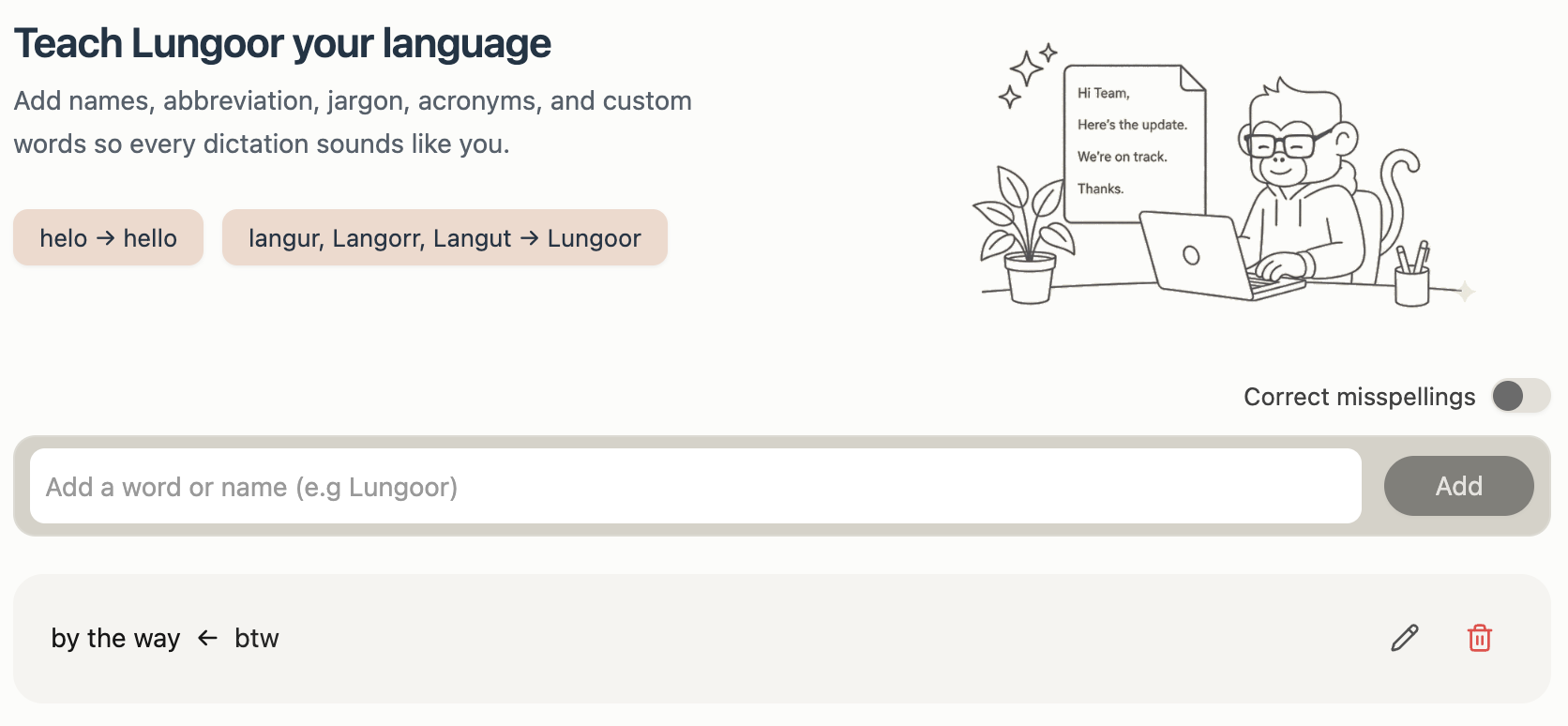
Teach Lungoor your language.
Add names, abbreviations, jargon, acronyms, and custom words so every dictation sounds like you.
Overview
The Dictionary is where you train Lungoor to understand your personal vocabulary - your shorthand, abbreviations, nicknames, brand names, and any words Lungoor might mishear or miswrite.
How It Works
Every entry in your Dictionary works as a simple mapping:
What you say - what Lungoor writes.
When Lungoor detects a word or phrase from your Dictionary in your speech, it automatically replaces it with your preferred output every single time - no manual corrections needed.
For example:
- You say "helo" - Lungoor writes hello
- You say "langur, Langorr, Langut" - Lungoor writes Lungoor
- You say "btw" - Lungoor writes by the way
Adding Words
To add a word or name to your Dictionary:
1. Click the input field
It says "Add a word or name (e.g Lungoor)".
2. Type the word you want Lungoor to recognize
This is exactly as you say it - for example, "helo", "btw", "asap", or your name.
3. Click Add
Your new entry appears in the list below.
Correct Misspellings
Toggle "Correct misspellings" on or off to control whether Lungoor automatically fixes common spelling mistakes in your speech.
When enabled, Lungoor cleans up frequent misspellings automatically. When disabled, only your custom dictionary entries are applied.
Managing Your Dictionary
Each entry in your Dictionary shows the mapping - what you say and what it becomes. You can:
- Edit - click the pencil icon to change the entry
- Delete - click the trash icon to remove the entry
Ideas for Your Dictionary
The Dictionary works best when it reflects the way you actually speak. Here are some ideas to get you started:
Abbreviations and shorthand
Words you say quickly that have a longer meaning:
- btw - by the way
- asap - as soon as possible
- fyi - for your information
- omw - on my way
- gn - good night
- tp - timepass
Brand and product names
Words that Lungoor might not spell correctly on its own:
- Your startup or company name
- Tools you use - for example, figma, notion, vercel
- Names of teammates or clients
Personal corrections
Words you commonly say differently or mispronounce:
- helo - hello
- definately - definitely
- recieve - receive
Personal slang and phrases
Words that are unique to you or your community:
- fr - for real
- goat - greatest of all time
- bussin - really good
- Any phrase from your language, dialect, or culture
Tips
- The Dictionary works across all styles and all apps - add a word once and it applies everywhere
- There's no limit to how many words you can add
- If a transcription keeps coming out wrong, adding that word to your Dictionary will fix it permanently
- You can edit any entry anytime to update the mapping
- The more you personalise your Dictionary, the better Lungoor understands your unique voice