History Sync
Save your transcriptions to the cloud and sync across devices.
Overview
By default, your transcription history is stored only on your Mac. If you want your transcriptions available across all your devices - and backed up safely - you can enable cloud history.

Save Transcription History
Transcriptions are stored in your account and synced across devices.
When you enable this setting, all your transcriptions - both original and polished versions - are saved to your Lungoor account. This means:
- Your history is backed up securely
- You can access your transcriptions from any device
- Your history persists even if you reinstall Lungoor
- You can turn this off anytime if you change your mind
Turning On Cloud History
When you click to enable Save transcription history, a modal appears asking for confirmation.
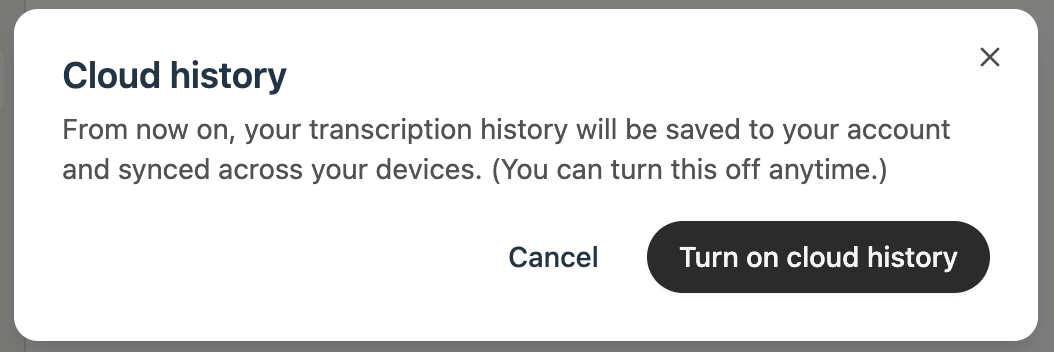
The modal explains:
From now on, your transcription history will be saved to your account and synced across your devices. (You can turn this off anytime.)
You have two options:
- Cancel - don't enable cloud history, keep everything local
- Turn on cloud history - enable syncing and save all transcriptions to your account
What Gets Synced
When cloud history is enabled, these are synced across your devices:
- Original transcriptions - your raw, unprocessed speech
- Polished transcriptions - your final output with styles applied
- Timestamps - when each transcription was created
- App context - which app was active when you recorded
- Style information - which style was applied to each transcription
Local vs Cloud Storage
Before enabling cloud history, your transcriptions live only on your Mac. Once enabled:
- New transcriptions go to both local storage and the cloud
- All your devices can access your cloud history through your Lungoor account
- You can still access history locally even if you're offline
Turning Off Cloud History
You can disable cloud history anytime from this same setting. Your existing cloud history won't be deleted - it just stops syncing new transcriptions.
Tips
- Enable cloud history if you use Lungoor on multiple devices
- Cloud history is a great backup - your transcriptions are safe even if something happens to your Mac
- If privacy is a concern, you can keep history local by leaving this off
- Syncing happens automatically in the background whenever you have an internet connection
- Your cloud history is encrypted and only accessible from your Lungoor account