Report an issue
Help us fix bugs and improve Lungoor Voice.
Overview
Found a bug or something not working as expected? Use the Report an issue form to tell us exactly what went wrong so we can fix it quickly.
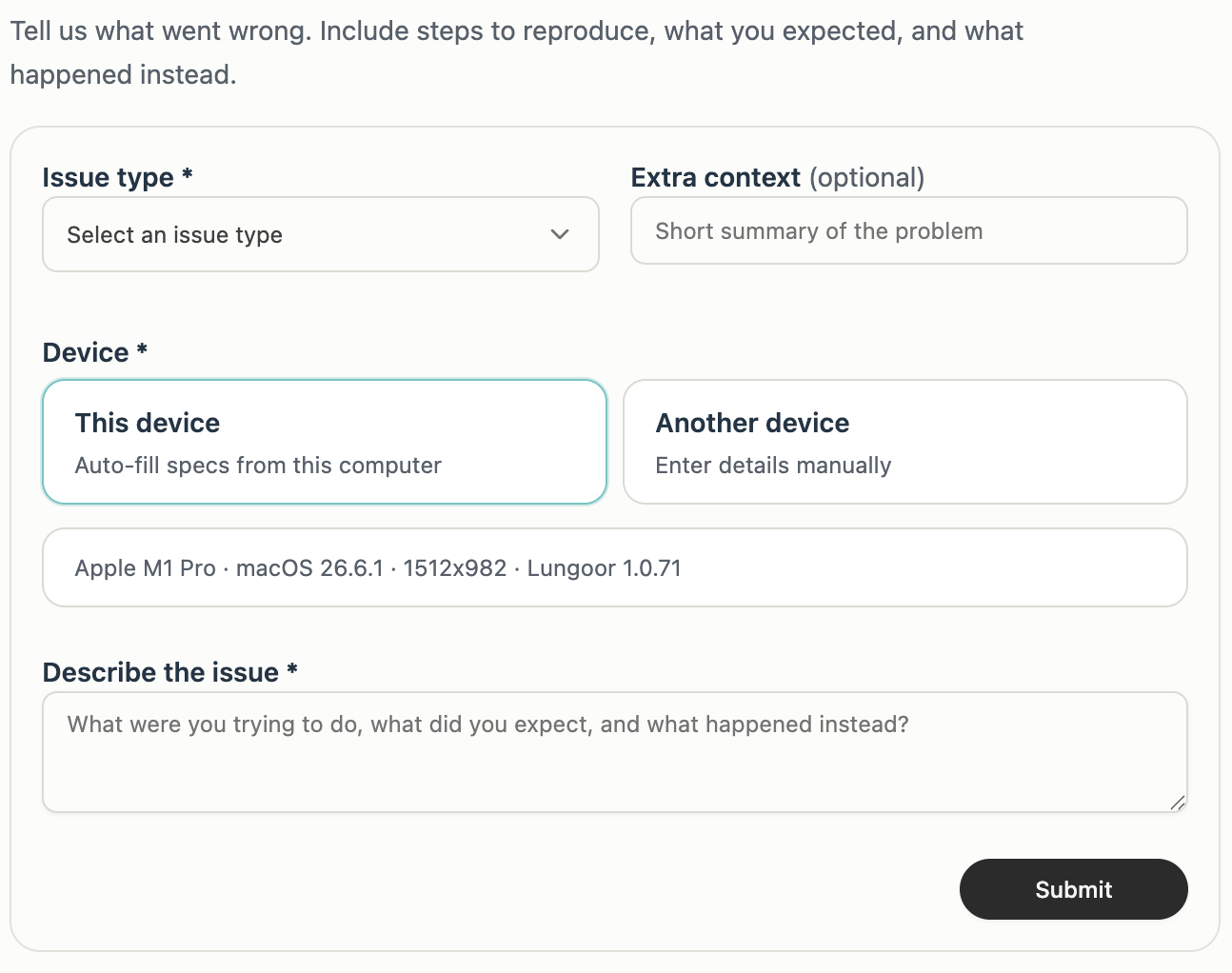
Issue Type
Select an issue type to categorize your report.
Choose from available issue categories to help us prioritize and route your report to the right team.
Short Summary of the Problem
Give us a brief title or headline for the issue.
Keep it short and clear - for example: "Widget not appearing on right edge" or "Microphone not being recognized".
Device
Tell us what device you're experiencing the issue on.
You have two options:
This device
Lungoor automatically fills in your device specs from your current Mac:
- Apple M1 Pro (or your Mac model)
- macOS 26.6.1 (or your version)
- 1512x982 (your screen resolution)
- Lungoor 1.0.71 (your app version)
Click Auto-fill specs from this computer to use these details.
Another device
If you're reporting an issue on a different device, choose this option and enter the details manually:
- Mac model
- macOS version
- Screen resolution
- Lungoor version
Describe the Issue
This is the most important part. Tell us exactly what went wrong.
Include:
- What were you trying to do
- What did you expect to happen
- What actually happened instead
- Any error messages you saw
- Steps to reproduce the problem
The more detail you provide, the faster we can fix it.
Extra Context (Optional)
Add any additional information that might help us understand the issue.
This could include:
- When did the issue start happening
- How often does it occur
- Does it happen with specific apps or features
- Any workarounds you've found
- Screenshots or recordings showing the problem
Submit
Once you've filled in all the required fields, click Submit to send your report to our team.
We'll review your issue and get back to you as soon as we can.
Tips
- Be specific - vague reports take longer to fix
- Include steps to reproduce - this helps us pinpoint the exact problem
- Attach screenshots if the issue is visual
- Check if your Mac meets the system requirements before reporting
- Make sure you're using the latest version of Lungoor before reporting